BEFORE SPENDING MONEY UPGRADING YOUR SYSTEM, DO THESE 5 QUICK CHECKS
In the world of audio, leveling up your listening is an ever-changing game. From switching out your speakers to investing in higher-quality components, it’s standard for any audio enthusiast to constantly be on the lookout to upgrade and evolve their sound.
But getting the most out of your system doesn’t have to cost an arm and a leg. There are simple tweaks you can make to improve the sound of your audio system. So to help you unlock better audio, we have five quick and easy checks you can make today.
Because another rule in the world of audio? Small adjustments can mean big improvements.
1. CHECK YOUR CABLES
“A chain is only as strong as its weakest link” is a great rule of thumb to keep in mind when it comes to your sound system. The cables are the links holding everything together. Here at SpenCertified, we also like to refer to them as the arteries of an audio system - if they’re clogged, there’s no way your sound will travel through each component as well as it should.
First, check that your cables are not fraying, torn, or worn. Frayed wires can introduce noise into your system or cut out audio altogether. Doing general maintenance checks like these will save you time and money in the long run.
Second, consider upgrading your cables. Substandard cables can introduce distracting noise just as easily as frayed wires can. It’s well worth the time and money to upgrade your cables. And this includes your speaker wire along with XLR, RCA, USB, digital optical, digital coaxial, and HDMI cables.
2. CHECK YOUR MEDIA
Whether you’re a digital lover or you favor the old-school analog format, keeping an eye on the condition of your media is essential. Especially for those who are using physical media, keeping it clean can make the difference between incredible sound and just plain noise.
Use a carbon-fiber brush or a microfiber cloth to remove dust and dirt; you can also give them a deeper cleaning using a mix of record-cleaning fluid and distilled water. Check the condition of your cassettes to be sure they’re still good; keep an eye out for mold and twisted tape. Tapes that are going bad will sound slow or muffled. Regularly check your CDs for scratches; avoid touching the disc’s surface, and if you notice a smudge, gently wipe it off using a microfiber cloth. For all your media, store it properly as well so it's not overly exposed to heat, light, or moisture.
And if you don’t use physical media, keep in mind you also have options when choosing the quality of the digital file format you listen to; high-resolution audio, for example, is a good idea if you regularly stream digital files.
💡HELPFUL RESOURCES: Interested in learning more about how to keep your physical media in good condition? Check out our vinyl guide article here, our cassette tape guide here, and our CD/DVD/Blu-ray guide here.
3. CHECK YOUR LISTENING SPACE
Audio gear is picky: you can’t set your speakers and components just anywhere that there’s room. If you do, your music is likely to sound distorted and weak with poor imaging.
The ideal situation is being able to dedicate an entire room to a music setup or a home theater. This way, you can control the acoustics, avoid space issues, and properly create that sweet spot from your preferred seating position.
Of course, most of us can’t do that. So if you’re in a smaller space, here are some tips to keep in mind! First, create a “triangle” with your speakers and your listening position. Place your two speakers (if you’re doing a home theater, these will be your fronts) on the same listening plane, then set your seat in the opposite corner of your triangle. If you do have a home theater, set your center channel and subwoofer on the same vertical plane as your fronts. Keep in mind that many receivers also offer automatic room correction options, which adjust the equalization to make your system perform better in your particular layout.
💡HELPFUL RESOURCES: Need assistance with finishing setting up your home theater system? Check out our subwoofer placement tips here.
4. CHECK FOR VIBRATIONS
Another common issue that’s important to check is whether vibration is introducing noise into your system. Everything from furniture to decor to the placement of your electronics can impact how much rumble and hum are impacting your audio system’s sound.
Check that your more sensitive components (like your turntable) are not sitting atop something that hums or vibrates even a little, like a power amplifier or CD player. Turntables are designed to pick up the smallest vibrations through a minuscule needle. Even the smallest hum from a different component can impact the sound.
If you’re low on space, consider getting an audio rack so everything can be stacked on shelves - and not on top of each other. There are also specially designed isolation platforms for your turntable and other components to help deaden reverberation.
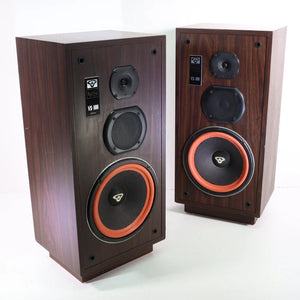
Check your speakers as well. Get speaker stands if you have bookshelf models and carpet spikes or floor discs for tower speakers.
💡HELPFUL RESOURCES: Looking for more tips on placing your turntable? Check out our turntable placement guide here.
5. CHECK FOR EXTRANEOUS NOISE
There’s one thing that every audio system has in common, whether it’s a two-channel stereo setup or a home theater rig: a power supply.
Simply plugging components into a wall socket is enough to introduce noise. Ethernet jacks on your router are also prone to introducing unwanted noise. The power supply of any electronic device can interfere with another electronic component’s signal path. Removing noise introduced by other electronic devices can make a huge difference.
First, check your system for humming by turning up your receiver and components - without actually playing anything. If you don’t hear a hum, great! If you do, disconnect components until the hum goes away. When you find the offending component, distance it physically from the others, plug it back in, and see if the hum is reduced. Sometimes a little space is all your components need.
Second, block out noise with a power conditioner. Investing in one can help with noise rejection and prevent that annoying humming from infiltrating your audio setup. Power protection devices with line conditioning are made to defeat annoying buzzing sounds that tend to come hand-in-hand with electrical wiring.
IN SUMMARY
It’s no exaggeration to say that having a dedicated sound system can turn your house into a home. For many people, the world of audio is both a hobby and a source of pride. But whether you’re a newbie or a seasoned audiophile, it’s good to go back to basics and check the simple things. So we hope this article not only saves you time and money, but also helps you level up your listening so you can keep enjoying your home for years to come.
Thanks for reading! If you do happen to be in the market for different gear, we’re here to scratch that itch. At SpenCertified, we’re experts at vintage audio and video gear, and we’ve got a wide selection to choose from. We have everything from cassette decks to CD players to turntables to speakers. And you can find everything we have to offer here.
Need your audio/video equipment repaired? We do that too! Check out our repairs page here.
Have a great day!



Leave a comment